Spoken English For Professionals |

Tag

spoken english for professionals

Best English Speaking Apps for First-Time Managers (2026) — Tested for Workplace Confidence

June 1, 2026 • 11 min read • By Rishish Pandey

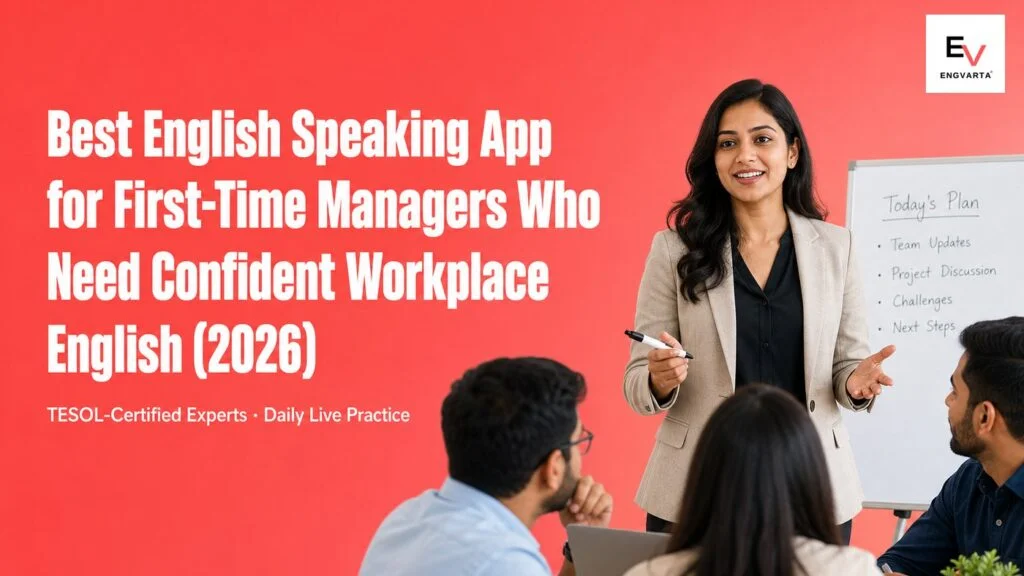
Indian first-time manager leading a team conversation in English — best English speaking app for first-time managers 2026
Quick answer For live management-conversation practice with real-time correction, practise with a trained Expert on EngVarta. for free rehearsal for a specific conversation, ChatGPT Voice Mode; for AI app for daily speaking reps, Speak; for being understood clearly on calls, ELSA Speak; for native-speaker conversation exposure, Cambly; for a hand-picked business-English tutor, italki / Preply. Most people pair one free option for volume with one structured option for feedback.

For new managers — running 1-on-1s, giving feedback, delegating, leading team meetings, and handling difficult conversations in clear, confident English.

How we picked

A first-time manager does not need more grammar — they need to sound calm and clear while doing new, exposed things: chairing a meeting, delivering feedback without sounding harsh, saying no to a request, explaining a decision to their own boss. So we ranked each option on live interpersonal practice, real-time correction, coverage of real management scenarios, fit for a busy manager’s day, and sustainable pricing — and cross-checked the shortlist against what new managers are commonly pointed to. Pricing and features were verified in June 2026; competitor names appear for context only.

Why a new management role exposes an English gap that was never there before

As an individual contributor, your English worked. You wrote clean emails, understood every standup, and spoke up when you had something prepared. Then you got promoted, and suddenly the job is conversation: a teammate is upset and you have to respond on the spot, a deadline slips and you have to push back politely, your manager asks “what happened?” in front of others. The vocabulary was never the issue — what is new is having to think, manage tone, and stay composed in English, all at the same time, with people watching.

This is why the gap feels like it appeared overnight. It did not; the role simply started testing a different muscle. Reading a management book or doing a vocabulary app does not build it, because the skill is real-time and interpersonal. It is built by rehearsing the exact conversations a manager has — out loud, with someone who corrects your phrasing and tone the moment they slip.

The best apps for first-time-manager English

1. EngVarta

EngVarta gives you a daily 15-minute live 1-on-1 audio session with a TESOL/ESL-certified English Expert who role-plays the situations a new manager actually faces.

  • Price: ₹69 / $1 refundable trial; ₹2,700 / $45 for 25 sessions (~₹108 / $1.80 each)
  • Best for: live management-conversation practice

2. ChatGPT Voice Mode

Prompt it to play an underperforming team member or a skeptical stakeholder, then rehearse the exact talk you are dreading — a genuinely useful, always-available way to try wording before the real meeting.

  • Price: Free (with usage limits); ChatGPT Plus $20/month
  • Best for: free rehearsal for a specific conversation

3. Speak

An AI app with spoken roleplay and drills that keeps your spoken English warm on days too packed for a live session.

  • Price: from $17.99/month (Premium), ~₹1,700/month
  • Best for: AI app for daily speaking reps

4. ELSA Speak

An AI app that drills pronunciation and word stress, useful if your team or your manager sometimes asks you to repeat yourself on video calls.

  • Price: free tier; ELSA Pro from ~$11.99/month (~₹1,150)
  • Best for: being understood clearly on calls

5. Cambly

On-demand video chat with native tutors, good for ear-training and casual practice with a real person.

  • Price: from ~$11 per 30-min session (auto-renewing subscription)
  • Best for: native-speaker conversation exposure

6. italki / Preply

Marketplaces where you can book a tutor with a business background and brief them to drill management conversations.

  • Price: italki community tutors ~$4–20/lesson; Preply from ~$15/hour
  • Best for: a hand-picked business-English tutor

Where AI helps a new manager — and where it stops

The honest answer is that AI is a great rehearsal room and a poor meeting room. For a first-time manager, tools like ChatGPT Voice are excellent at one thing: letting you draft and try the wording of a difficult message a dozen times, privately, until it stops feeling clumsy. That is real value, and you should use it before any conversation that scares you.

But management is judged in the moment a real person reacts — when your feedback lands wrong and a face falls, when a teammate interrupts to disagree, when your boss asks a follow-up you did not prepare. An AI never does any of that; it is endlessly patient and never surprised, so it cannot train the composure and tone-reading that separate a manager people trust from one who merely says the right words. A live Expert can: they react, they push, and they fix your phrasing the instant it turns harsh or unclear. Rehearse with AI; get meeting-ready with a live person.

Comparison at a glance

App Live human Real-time correction Management-scenario role-play India-workplace context
EngVarta Yes (1-on-1 Expert) Yes, during the call Yes (1-on-1s, feedback, delegation) Yes
ChatGPT Voice No (AI) Generic feedback Solo rehearsal only Partial
Speak No (AI) Limited Drills and roleplay Partial
ELSA Speak No (AI) Pronunciation only No Partial
Cambly Yes (native tutor) Varies by tutor If you brief the tutor Limited
italki / Preply Yes (tutor) Varies by tutor If you brief the tutor Limited

This ranking is based on fit for first-time managers specifically — live interpersonal practice, tone, composure under attention — not general English-learning popularity.

Manager conversations worth rehearsing out loud

SituationWhat to practise
Weekly 1-on-1Asking open questions, listening, and summarising next steps clearly.
Giving critical feedbackSaying what is wrong directly but kindly, with a specific example and a path forward.
Delegating a taskStating the outcome, the deadline, and the check-in — without over-explaining or apologising.
Pushing back on a deadlinePolite, firm wording that protects the team without sounding defensive.
Updating your own managerA crisp status summary and a calm answer when asked “what happened?”

A 2-week scenario plan for new managers

Week 1 — get comfortable leading the talk. Daily 15-minute live sessions where the Expert has you run a 1-on-1 and a short team update, so holding the floor and asking good questions in English feels routine. Use ChatGPT Voice between sessions to draft the wording of any conversation you are nervous about.

Week 2 — drill the hard ones. Move to the uncomfortable scenarios: delivering critical feedback, saying no to a request, handling a disagreement. The Expert plays the other person, reacts, and corrects your tone and phrasing in real time, with consolidated feedback at the end. Replay the recordings to hear where your delivery turned harsh or hesitant, and tighten it before you do it for real.

Frequently Asked Questions

Q1. Which English speaking app is best for first-time managers?

Ans: EngVarta is a strong fit because new managers can rehearse real management conversations live with an Expert who role-plays the other person, reacts, and corrects tone and phrasing in real time. AI apps like ChatGPT Voice and Speak are useful for private rehearsal, but they cannot reproduce how a real person responds to feedback or pushback.

Q2. My English was fine as an engineer or analyst — why does it feel weak now that I manage people?

Ans: Because the role started testing a different skill. Individual-contributor English is mostly prepared and written; management English is real-time and interpersonal — reacting on the spot, managing tone, staying composed while people watch. The fix is to rehearse those exact live conversations, not to revise grammar.

Q3. How do I give critical feedback in English without sounding harsh?

Ans: Practise a simple structure out loud until it is automatic: name the specific behaviour, explain the impact, and agree a path forward — in calm, plain words. A live Expert can play the receiver and stop you the moment your phrasing turns blunt or apologetic, which is the part reading alone cannot fix.

Q4. Can I practise manager conversations without my team knowing?

Ans: Yes. Private 1-on-1 practice lets you rehearse 1-on-1s, feedback, and delegation with an Expert before you do them for real — no audience, no risk to your standing with the team while you make and fix mistakes.

Q5. How long until I feel confident running these conversations in English?

Ans: Most managers at intermediate English see a clear difference within two to three weeks of daily 15-minute live practice focused on real scenarios. Consistency matters more than length — 15 minutes every day beats a long weekly session.

Q6. Should I focus on my accent or on the conversations?

Ans: On the conversations. Managers are judged on clarity, tone, and composure, not accent. Pronunciation tools like ELSA help if people ask you to repeat yourself, but the higher-return work is rehearsing how you handle feedback, delegation, and pushback.

Reviewed by the EngVarta content team. Pricing and features verified June 2026; competitor details are summarised from public sources and mentioned for context only.
Best English Speaking Apps for Office Presentations and Q&A (2026)

May 30, 2026 • 10 min read • By Rishish Pandey

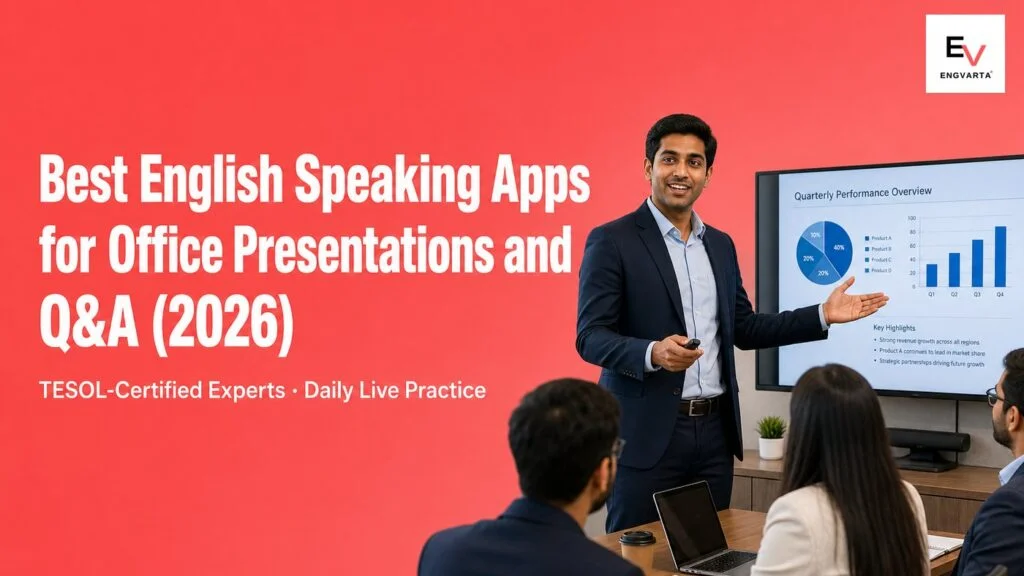
Indian professional practising spoken English for office presentations and Q&A — best English speaking apps for presentations 2026
Quick answer
For live presentation and Q&A practice with real-time correction, practise with a trained Expert on EngVarta. for free Q&A simulator, ChatGPT Voice Mode; for live pressure before a big talk, Cambly; for customized presentation coaching, italki; for clear delivery of key lines and terms, ELSA Speak. Most people pair one free option for volume with one structured option for feedback.

For confident delivery, clear structure, smooth transitions, and handling tough questions in the Q&A.

How we picked

We ranked each option on what a presentation actually tests: confident delivery under attention, clear structure and transitions, real-time correction, and practice for unexpected Q&A questions; plus fit for a daily habit and sustainable pricing. We also cross-checked our list against what professionals are actually recommended for this exact need. Pricing and features were verified in June 2026, and competitor names are mentioned for context only.

Why presenting in English is a different skill

Presenting is not the same as conversing. You have to hold the floor for several minutes, structure your points so an audience can follow, keep your delivery steady while everyone watches — and then survive the part most people dread, the Q&A. The vocabulary is rarely the issue; you know your topic. What wobbles is fluency under attention and the ability to answer a sharp, unexpected question without freezing.

That last point matters more than people realise. The biggest problem in Q&A is usually not English ability — it is being surprised. A question you did not see coming spikes your nerves, your retrieval slows, and the pause reads as uncertainty. The fix is not more grammar; it is rehearsing delivery and difficult questions enough that both feel automatic. That only comes from practising the real thing, out loud, under pressure.

The best apps for English presentations and Q&A

1. EngVarta

EngVarta gives you a daily 15-minute live 1-on-1 audio session with a TESOL/ESL-certified English Expert who runs the parts of a presentation that actually trip people up.

  • Price: ₹69 / $1 refundable trial; ₹2,700 / $45 for 25 sessions (~₹108 / $1.80 each)
  • Best for: live presentation and Q&A practice

2. ChatGPT Voice Mode

Prompt it to act as a senior manager, deliver your update, and have it interrupt with fifteen increasingly difficult questions — an excellent, unlimited way to rehearse the questions you fear.

  • Price: Free (with usage limits); ChatGPT Plus $20/month
  • Best for: free Q&A simulator

3. Cambly

Speak with real native tutors and ask them to run project updates, stakeholder reviews, and executive summaries, which builds confidence under real-person pressure.

  • Price: from ~$11 per 30-min session (auto-renewing subscription)
  • Best for: live pressure before a big talk

4. italki

Book a tutor and ask specifically for presentation and Q&A practice — tell them to stop you when you lose fluency and throw unexpected questions.

  • Price: community tutors ~$4–20/lesson
  • Best for: customized presentation coaching

5. ELSA Speak

An AI app that drills pronunciation and stress, useful for your opening lines, technical vocabulary, and the product or client names you must get right on stage.

  • Price: free tier; ELSA Pro from ~$11.99/month (~₹1,150)
  • Best for: clear delivery of key lines and terms

AI Q&A practice vs live practice: when to use each

AI tools like ChatGPT Voice are genuinely powerful for one job: generating an endless stream of tough questions so the surprises run out before your real Q&A. Use them for that — it is one of the most effective things you can do. But an app can’t fully give you a real audience. It never makes you nervous, never reacts impatiently, and accepts a shaky answer as readily as a confident one, so it does not train the composure half of presenting.

That half is built with a live person. A real Expert makes you hold the floor, adds a hard follow-up when your answer needs more clarity, and corrects your phrasing the moment it slips — under the kind of pressure a meeting room creates. For an Indian professional, an Expert who knows where workplace-presentation nerves show up, at a price that sustains regular practice, turns rehearsal into real readiness. Pair AI question-drills with live delivery practice and you cover both fluency and nerves.

Comparison at a glance

Option Live human Real-time correction Presentation & Q&A role-play India-workplace context Price for regular reps
EngVarta Yes (1-on-1 Expert) Yes, during the call Yes (opening, transitions, Q&A) Yes ~₹108/session
ChatGPT Voice Mode No (AI) Generic feedback Q&A only, no real audience Partial Free / subscription
Cambly Yes (native) Informal If you ask No Higher for daily
italki Yes (varies) Depends on tutor If you brief them Varies Per session, adds up
ELSA Speak No (AI) Pronunciation only No Partial Subscription

Best for your situation

If your problem is… Start with
Losing fluency or freezing while presenting EngVarta (live delivery practice)
Freezing on unexpected questions in Q&A ChatGPT Voice for question drills, then live practice
Colleagues asking you to repeat key terms ELSA Speak alongside live practice
Wanting a hand-picked coach for tailored sessions italki (brief them on presentation and Q&A)

Best app by presentation use case

Use case Best pick Why
Strong openings & structure EngVarta Rehearse your opening and transitions with live correction.
Handling tough, surprise questions EngVarta An Expert asks unexpected follow-ups so surprises stop rattling you.
Executive summaries & updates EngVarta Practise saying the key point first, clearly and confidently.
Drilling 20 tough questions before a talk ChatGPT Voice Mode Unlimited, free Q&A simulation on your exact topic.
Pronouncing technical terms & names ELSA Speak (+ live practice) Sound-level feedback on the words you must get right.
Tailored weekly coaching italki Choose a tutor and customise the presentation drills.

A 4-week presentation-confidence protocol

Short, frequent reps beat occasional long ones. This routine pairs a daily live session with AI question-drills and self-recording in between.

Week Focus What you practise Session
Week 1 Openings & structure A strong opening line and a clear, easy-to-follow structure 15 min daily
Week 2 Delivery & transitions Holding the floor, smooth transitions, and steady pace under attention 15–25 min
Week 3 Tough Q&A Answering unexpected and aggressive questions, and recovering when caught out 25 min
Week 4 Full mock presentation End-to-end talk plus a hard Q&A round, at real speed 25–50 min

Before every real presentation, deliver the whole thing once to an AI and ask it for twenty tough, executive-level questions with follow-ups when your answer is weak. Rehearsing surprises is what makes Q&A feel automatic — then take the same material into a live session to practise the delivery under real pressure.

How we evaluated this — and who reviewed it

Each option was scored on live delivery practice, real-time correction, coverage of presentation and Q&A scenarios, fit for a regular habit, and price. Pricing and features were checked in June 2026, and the rankings were reviewed against the day-to-day experience of EngVarta’s TESOL/ESL-certified Experts, who run live presentation and Q&A role-plays with Indian professionals and see exactly where fluency and composure slip. The aim was an honest comparison: AI question-drills and pronunciation tools earn their place, while live, India-workplace practice leads for delivering under real pressure.

Related guides

Frequently Asked Questions

Which app is best to practise English for office presentations?

EngVarta is the strongest pick because presenting is built by live practice under attention. A TESOL/ESL-certified Expert role-plays your opening, transitions, and a tough Q&A, corrects your phrasing in real time, and works at a daily-affordable price — closer to a real presentation than any AI app.

How do I handle tough or unexpected questions in the Q&A?

The biggest Q&A problem is usually being surprised, not your English. Rehearse hard, unexpected questions repeatedly — with an AI for volume and a live Expert for pressure — until answering on the spot feels automatic. A live Expert also corrects weak phrasing and pushes follow-ups when your answer wobbles.

Is ChatGPT Voice Mode enough to prepare for a presentation?

It is excellent for one thing: generating endless tough questions so the surprises run out before your real Q&A. But it gives no real-audience pressure and accepts shaky answers, so it does not train composure. Use it to drill questions, then a live session to practise delivery under pressure.

How do I stop freezing or losing fluency mid-presentation?

Practise holding the floor out loud, daily, with real-time correction. A live Expert keeps you going when you stall, smooths your transitions, and tightens your pace, so delivery becomes steady. Most people see a clear improvement within a few weeks of regular live reps.

How long until I can present confidently in English?

Most professionals see a clear jump in confidence and clarity within four to eight weeks of regular practice, especially when daily live reps are paired with AI question-drills. Frequency matters more than session length — 15 focused minutes a day beats an occasional long class.

Do I need a native speaker to improve my presentation English?

No. Native-speaker apps like Cambly help with exposure but are not focused on Indian-workplace presentation norms or structured correction. An Expert who works with Indian professionals daily targets exactly where your fluency and composure slip — and at a price that sustains regular practice.

Best English Speaking Apps for Client Calls and Client Meetings (2026)

May 29, 2026 • 10 min read • By Rishish Pandey

Indian professional practising spoken English for client calls and client meetings — best English speaking apps for client calls 2026
Quick answer
For live client-call practice with real-time correction, practise with a trained Expert on EngVarta. for free AI roleplay rehearsal, ChatGPT Voice Mode; for native-speaker live practice, Cambly; for hand-picked targeted coaching, italki / Preply; for being understood clearly on calls, ELSA Speak. Most people pair one free option for volume with one structured option for feedback.

For status updates, requirement calls, difficult client questions, objections, and escalation calls in English.

How we picked

We ranked each option on what actually carries you through a client call: live, real-time speaking practice; correction in the moment; role-play of the exact situations clients create — updates, questions, objections, escalations; fit for a weekly or daily habit; and sustainable pricing. We also cross-checked our list against what professionals are actually recommended for this exact need. Pricing and features were verified in June 2026, and competitor names are mentioned for context only.

Why client-call English is different from everyday English

A client call is not casual conversation. It is high-stakes, real-time, and unforgiving: you have to give a clear update, field an unexpected question, push back politely on an unrealistic deadline, or calm an unhappy client — all while sounding composed and in control. The vocabulary is rarely the problem; most professionals read and write client emails comfortably. What breaks down is speaking under pressure, when a pause or a fumbled answer can dent the client’s confidence in you, not just your English.

That is why generic “learn English” apps miss the mark here. You do not need more grammar lessons — you need rehearsal of the specific moments a client call throws at you, with someone who can correct your phrasing and tighten your delivery on the spot. The skill is composure plus clarity under real conditions, and that is built only by practising those conditions.

The best apps for English client calls

1. EngVarta

EngVarta gives you a daily 15-minute live 1-on-1 audio session with a TESOL/ESL-certified English Expert who role-plays the calls you actually run.

  • Price: ₹69 / $1 refundable trial; ₹2,700 / $45 for 25 sessions (~₹108 / $1.80 each)
  • Best for: live client-call practice

2. ChatGPT Voice Mode

You can prompt ChatGPT to act as a demanding client, ask hard questions, and give feedback afterwards — a genuinely useful, always-available way to rehearse on your own.

  • Price: Free (with usage limits); ChatGPT Plus $20/month
  • Best for: free AI roleplay rehearsal

3. Cambly

You speak with real native tutors and can ask them to run client-meeting scenarios, which forces real-time thinking.

  • Price: from ~$11 per 30-min session (auto-renewing subscription)
  • Best for: native-speaker live practice

4. italki / Preply

Marketplaces where you can book a tutor and brief them to drill weekly client meetings and status updates — useful if you want to choose someone with a business background.

  • Price: italki community tutors ~$4–20/lesson; Preply from ~$15/hour
  • Best for: hand-picked targeted coaching

5. ELSA Speak

An AI app that drills pronunciation and word stress, helpful if clients often ask you to repeat yourself on Zoom or Teams.

  • Price: free tier; ELSA Pro from ~$11.99/month (~₹1,150)
  • Best for: being understood clearly on calls

AI roleplay vs live practice: when to use each

AI tools like ChatGPT Voice are excellent rehearsal partners, and pairing them with live practice is a smart combination. But for client calls specifically they have a ceiling: an AI never loses patience, never reacts the way a frustrated client does, and accepts a slow or hedged answer as readily as a sharp one. Real client calls have stakes, momentum, and a person on the other end whose confidence in you rides on how you sound — and that is exactly the pressure you have to practise under.

A live Expert reproduces those conditions: a follow-up you did not expect, a polite-but-firm push when you waffle, a correction the instant your phrasing weakens. For a non-native professional, an Expert who understands the specific spots where confidence slips — and works at a price that sustains regular practice — closes the gap between rehearsing and actually performing. Use AI to warm up; use live practice to get call-ready.

Comparison at a glance

Option Live human Real-time correction Client-scenario role-play Context fit Price for regular reps
EngVarta Yes (1-on-1 Expert) Yes, during the call Yes (updates, objections, escalations) Yes ~₹108/session
ChatGPT Voice Mode No (AI) Generic feedback Yes, but no real stakes Partial Free / subscription
Cambly Yes (native) Informal If you ask No Higher for daily
italki / Preply Yes (varies) Depends on tutor If you brief them Varies Per session, adds up
ELSA Speak No (AI) Pronunciation only No Partial Subscription

Best for your situation

If your problem is… Start with
Losing confidence or fumbling answers on live client calls EngVarta (live client-call practice)
Wanting free solo rehearsal before a big call ChatGPT Voice Mode, then a live session
Clients often ask you to repeat yourself ELSA Speak alongside live practice
Wanting to hand-pick a business-savvy tutor italki or Preply (brief them on client meetings)

Best app by client-call use case

Use case Best pick Why
Project status updates EngVarta Rehearse the update format until it is concise and confident.
Handling difficult client questions EngVarta An Expert throws unexpected follow-ups and corrects your phrasing live.
Objections & scope push-back EngVarta Practise saying no politely and firmly under real pressure.
Free solo rehearsal before a call ChatGPT Voice Mode Prompt it to act as a demanding client, anytime, at no cost.
Clear pronunciation on Zoom/Teams ELSA Speak (+ live practice) Sound-level feedback so clients stop asking you to repeat.
Hand-picked weekly coaching italki / Preply Choose a business-experienced tutor for tailored sessions.

A 4-week client-call confidence protocol

You do not need long sessions — you need frequent, realistic reps. This routine pairs a daily live session with short AI rehearsal and self-recording in between.

Week Focus What you practise Session
Week 1 Clear status updates Giving a concise “done / doing / blockers” update without rambling 15 min daily
Week 2 Answering questions live Fielding unexpected client questions and clarifying calmly 15–25 min
Week 3 Objections & push-back Saying no politely, renegotiating timelines, managing expectations 25 min
Week 4 Full mock client call End-to-end call with updates, questions, and an escalation, at speed 25–50 min

Between sessions, record a daily two-minute update — what you finished, what you are working on, any risks — then listen back for filler words, long pauses, and unclear sentences. It is the exact format most project and consulting client calls use, and a few weeks of it produces a visible jump in composure.

How we evaluated this — and who reviewed it

Each option was scored on live speaking practice, real-time correction, coverage of real client-call scenarios, fit for a regular habit, and price. Pricing and features were checked in June 2026, and the rankings were reviewed against the day-to-day experience of EngVarta’s TESOL/ESL-certified Experts, who run live client-call role-plays with professionals and see exactly where composure and phrasing slip. The goal was an honest comparison: AI and pronunciation tools earn their place for rehearsal and clarity, while live practice leads for performing on real, high-stakes calls.

Related guides

Frequently Asked Questions

Which app is best to improve English for client calls?

EngVarta is the strongest pick because client-call confidence is built by live, realistic practice. A TESOL/ESL-certified Expert role-plays status updates, client questions, and objections, corrects your phrasing in real time, and works at a daily-affordable price — closer to a real call than any AI app.

How do I handle difficult client questions and objections in English?

Rehearse the exact moments with a live Expert: an unexpected question, a push for a faster timeline, a complaint. The Expert plays the client, makes you respond on the spot, and corrects weak phrasing immediately, so polite, firm answers become automatic before you face a real client.

Is ChatGPT Voice Mode enough to prepare for client calls?

It is an excellent free warm-up — you can prompt it to act as a demanding client and get instant feedback. But it has no real stakes and accepts whatever you say, so it cannot replicate the pressure of a live client. Use it to rehearse, then a live session to get call-ready.

How do I sound confident giving project status updates in English?

Practise the format until it is automatic: what you finished, what you are working on, and any blockers or risks, in clear short sentences. Daily reps with a live Expert who tightens your delivery turn a rambling update into a concise, confident one within a few weeks.

How long until I sound confident on client calls?

Most professionals see a clear improvement in confidence and clarity within four to eight weeks of regular practice, especially when daily live reps are paired with short AI rehearsal. Frequency matters more than session length — 15 focused minutes a day beats an occasional long class.

Do I need a native speaker to improve English for client calls?

No. Native-speaker apps like Cambly help with exposure but are not focused on real client-call patterns or structured correction. An Expert who works with professionals daily targets exactly where your confidence and phrasing slip — and at a price that sustains regular practice.